Free AI Content Summarizer – Shorten Long Text Fast
The AI Content Summarizer turns long articles, AI-generated text, reports, notes, and other content into shorter, easier-to-read summaries. Paste your text, choose how detailed you want the summary, and get the important points in seconds. No signup, no API, and nothing to install.
Choose a paragraph or bullet-point summary, select Quick, Standard, or Detailed mode, or use the percentage control to decide exactly how much of the original text you want to keep. Everything runs directly in your browser.
📝 AI Content Summarizer
Turn long text into a shorter, easier-to-read summary right in your browser.
🎥 Watch this short video to see how the AI Content Summarizer works in real time.

Mike says: “One click is all it takes!”
🔍 What Is the AI Content Summarizer?
The AI Content Summarizer is a free browser-based tool for turning long text into a shorter version containing the most relevant sentences and ideas. You can use it with articles, blog drafts, reports, meeting notes, research, AI-generated content, and other text you do not have time to read word for word.
Unlike the original version of this tool, the improved summarizer does more than favor long sentences. It looks for repeated important terms, sentence relevance, position within the text, and similar or duplicate sentences to produce a more useful summary.
⚡ How to Summarize Long Text
Paste your text into the input box and choose how you want the finished summary presented. Select Paragraph for a traditional condensed summary or Bullet Points when you want the important information separated into easy-to-scan points.
You can then choose Quick, Standard, or Detailed mode. If you want more control, use the Summary Length slider to select how much of the original material should remain. Click Summarize Text and your result appears in the output box.
When you’re finished, copy the summary to your clipboard or download it as a plain .TXT file.
🤖 Summarize ChatGPT, Claude, Gemini & Other AI Text
AI-generated answers can get long, especially when you ask for detailed explanations, research, outlines, or brainstorming. The AI Content Summarizer gives you a quick way to reduce that material to its most relevant points.
You can paste text generated by ChatGPT, Claude, Gemini, Grok, Copilot, or another AI assistant. You can also use ordinary human-written material. The summarizer does not require the text to have been created by AI.
📝 Paragraph or Bullet-Point Summaries
Different jobs need different kinds of summaries. A paragraph is useful when you want a shortened version that still reads naturally. Bullet points are better when you need to scan the major ideas quickly, create notes, or identify the important parts of a long document.
The output format does not change your original text. You can switch formats and summarize it again until you get the result that works best for what you’re doing.
🎚️ Control the Length of Your Summary
Sometimes you need only the highlights. Other times you want to preserve considerably more detail. The tool provides three starting modes:
- Quick: A short overview concentrating on the strongest points.
- Standard: A balanced summary for everyday use.
- Detailed: A longer summary that retains more of the original information.
You can also use the percentage slider for more precise control over the length of your summary.
🧩 Who Should Use This AI Content Summarizer?
The AI Content Summarizer is useful for anyone who regularly deals with more text than they want to read from beginning to end. Writers can condense drafts, students can create study notes, researchers can identify major points, and professionals can shorten reports or meeting notes.
It can also help when an AI assistant gives you a useful answer buried inside far more explanation than you actually needed. Paste the response into the summarizer and reduce it to something easier to scan, save, or work with.
🔒 Private, Browser-Based Summarizing
The AI Content Summarizer runs locally in your web browser. Your text does not need to be sent to an AI API or uploaded to Mike’s Helpers for processing.
There is no account to create, no software to install, and no subscription required. Open the tool, paste your text, create your summary, and continue with your work.
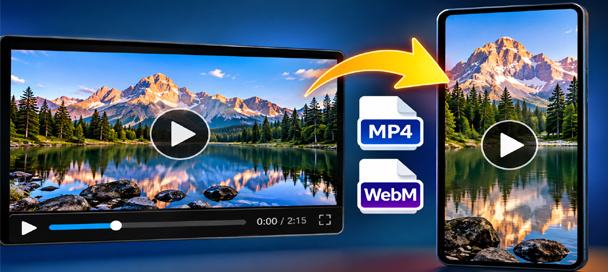
Free Video Converter and Crop Editor: 7 Powerful Ways to Edit Videos
🎬 Free Video Converter and Crop Editor Turn Long Videos Into Exactly What You Need Have you ever received a video that was almost perfect for your project? Maybe it was too long, the wrong shape, or saved in a…
🧪 Behind the Tool
The AI Content Summarizer started because AI tools often produce far more text than necessary. I wanted a quick way to pull useful information out of a long response without having to read through thousands of words every time.
The improved version still follows the original idea of keeping the tool fast and simple, but its browser-based summarizing logic now evaluates sentence relevance, recurring important terms, sentence position, and duplicate or near-duplicate information. The goal is not to rewrite your material. It is to identify useful parts of the original and give you a shorter version you can work with.
🧠 Frequently Asked Questions
What does the AI Content Summarizer actually do?
It analyzes the text you provide and selects relevant sentences and ideas to create a shorter version of the original material.
Does the AI Content Summarizer use an AI API?
No. The summarizing process runs directly in your browser and does not require an external AI API.
Is it safe to use with private text?
The summarizing process happens locally in your browser rather than sending your text to Mike’s Helpers for processing. As with any website, avoid pasting passwords, financial credentials, or other information that should never be entered into a webpage.
Does it work with ChatGPT and other AI-generated text?
Yes. You can summarize text from ChatGPT, Claude, Gemini, Grok, Copilot, and other AI tools. It also works with ordinary human-written text.
Can I make a bullet-point summary?
Yes. Choose Bullet Points before summarizing. You can also select Paragraph when you want the result presented as continuous text.
Can I control how long the summary is?
Yes. Choose Quick, Standard, or Detailed mode, or use the percentage slider for more precise control.
Can I download my summary?
Yes. You can copy the finished summary to your clipboard or download it as a .TXT file.
Does the summarizer rewrite my text?
No. This is an extractive summarizer. It identifies useful sentences from your original material rather than using an AI service to rewrite the content.
Do I need to install anything?
No. The tool works directly in a modern web browser.
Is the AI Content Summarizer free?
Yes. The tool is free to use and requires no account or subscription.
This site is ad-supported and free to use. If one of the tools helped you today, feel free to leave a tip.