🎨 Bring Old Black and White Photos Back to Life with Free AI Photo Colorizer
Turn old black and white photographs into beautiful color pictures with the Free AI Photo Colorizer. Choose a photograph, click Colorize, and watch artificial intelligence add natural-looking colors while preserving the original details.
Colorize vintage family portraits, historical photographs, old Hollywood publicity pictures, and treasured memories. Everything happens directly in your browser. Your photographs are never uploaded to our server, and there are no accounts, subscriptions, or paid credits.
📸 What Is the Free AI Photo Colorizer?
The Free AI Photo Colorizer is an online tool that uses artificial intelligence to add realistic colors to black and white photographs.
Instead of simply applying a color filter, the tool examines the photograph and predicts appropriate colors for faces, clothing, hair, buildings, landscapes, and other objects.
The colorization process preserves the original photograph’s brightness details, helping maintain facial expressions, fine textures, and the character of older pictures.
The result is a downloadable color PNG that you can save, print, or share.
⚡ How to Colorize a Black and White Photo
Colorizing a photograph takes just a few simple steps.
- Choose Photo: Select a black and white photograph from your computer or device.
- Colorize: Click the Colorize button to begin AI processing.
- Watch the Progress: The blue progress bar shows loading and processing activity.
- Compare Your Photos: View the original black and white photograph beside the finished color version.
- Download PNG: Save the colorized photograph to your device.
Want to colorize another photograph? Click the green Try Another Photo button. The AI model remains loaded during your session, so additional photographs can process faster.
🖼️ See Your Photos Before and After Colorization
The Free AI Photo Colorizer displays two photographs side by side.
- Before: Your original black and white photograph.
- After: The same photograph with AI-generated colors.
This comparison makes it easy to see how the colorization changes the photograph while retaining its original features.
The finished image is available as a PNG, with its original resolution preserved for photographs within the tool’s 4000-pixel size limit.
👨👩👧👦 Bring Old Family Photographs Back to Life
Old family albums are filled with black and white photographs of parents, grandparents, relatives, weddings, holidays, and special occasions.
Adding color can make these pictures feel more familiar to younger generations who have grown up seeing the world in color.
Try colorizing:
- Vintage family portraits and wedding photographs
- Childhood pictures and school photographs
- Old photographs of homes, cars, and neighborhoods
- Military portraits and historical family pictures
- Classic Hollywood and entertainment photographs
- Vintage holiday photographs and special events
The original photograph remains unchanged, so you can keep both versions.
🧠 How Does AI Photo Colorization Work?
The tool uses DDColor, an artificial intelligence model designed to predict colors in black and white photographs.
DDColor studies the image and estimates colors based on the people, objects, surroundings, and patterns it recognizes.
For example, it may identify grass and add green, recognize the sky and add blue, or estimate natural skin tones for a portrait.
The AI creates color information and combines it with the photograph’s original brightness details. This helps preserve fine features such as hair, wrinkles, clothing textures, and facial expressions.
Unlike simple color filters, DDColor can assign different colors to different parts of a photograph.
🎞️ Can AI Recreate the Exact Original Colors?
AI colorization is an educated prediction. It cannot always determine the exact colors that were present when a photograph was taken.
A black and white picture of someone wearing a dress cannot tell the AI whether the dress was originally pink, blue, yellow, or white.
The same applies to hair color, furniture, buildings, and other objects.
The Free AI Photo Colorizer attempts to produce believable colors, but the result should be considered an artistic interpretation rather than a historically verified restoration.
For many old photographs, the goal is simply to enjoy seeing a familiar picture in color.
🔍 Does Colorizing a Photo Reduce Its Quality?
The Free AI Photo Colorizer is designed to preserve the original photograph’s brightness and fine details while adding color.
Unlike tools that reduce an entire photograph to a small image and then enlarge it, this colorizer combines the AI-generated colors with the original image detail.
Photographs up to 4000 pixels on their longest side retain their original dimensions. Larger photographs are reduced proportionally to fit that limit.
The quality of the result also depends on the original photograph. Very blurry, damaged, or heavily grainy pictures may still show those imperfections after colorization.
🔒 Private AI Photo Colorization in Your Browser
Your privacy matters, especially when working with personal family photographs.
The Free AI Photo Colorizer performs its image processing directly in your browser.
Your photographs are not uploaded to Mike’s Helpers or sent to a remote AI service for colorization.
The AI model and its processing engine are downloaded to your browser when needed. Once loaded, they can be reused for additional photographs during the same session.
There is no account to create, no subscription, and no payment required.
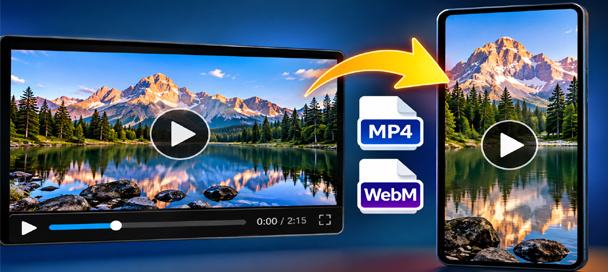
Free Video Converter and Crop Editor: 7 Powerful Ways to Edit Videos
🎬 Free Video Converter and Crop Editor Turn Long Videos Into Exactly What You Need Have you ever received a video that was almost perfect for your project? Maybe it was too long, the wrong shape, or saved in a…
🧪 Behind the Tool
The Free AI Photo Colorizer was created to make modern AI colorization available without complicated software or paid online services.
It uses the DDColor-tiny AI model and ONNX Runtime Web to process photographs directly on your computer or device.
The tool first attempts to use WebGPU for faster processing. If that is unavailable or fails, it can fall back to WebAssembly processing.
The simple design keeps the process straightforward. Choose a photograph, colorize it, compare the results, and download the finished image.
No complicated settings or color adjustments are required.
❓ Frequently Asked Questions
Is the Free AI Photo Colorizer really free?
Yes. The tool is free to use without creating an account, purchasing credits, or paying a subscription.
Do I need to install software?
No. The colorizer runs in your web browser. The AI model downloads automatically when needed.
Are my photographs uploaded to a server?
No. The photographs are processed locally in your browser rather than being uploaded for AI processing.
Can I colorize several photographs?
Yes. After finishing one photograph, click Try Another Photo to select another. The AI model stays loaded during your session, which can make additional colorizations faster.
Will the AI change people’s faces?
The tool is designed to preserve the original photograph’s structure and brightness details. It adds predicted colors rather than deliberately rebuilding faces, although small visual differences can occur.
Can I colorize an already colored photograph?
Yes, but the tool will predict new colors from the photograph’s brightness information. It may replace the original colors with different ones, so it is intended primarily for black and white photographs.
What format is the finished photograph?
The finished photograph downloads as a PNG image.
Will the colors always be historically accurate?
No. Artificial intelligence predicts believable colors, but it cannot know every original color from a black and white photograph.
Does it work on phones and tablets?
It may work on compatible mobile browsers, although performance depends on the device’s memory and processing capabilities. Desktop computers generally offer a better experience for larger photographs.
Why does the first photograph take longer?
The browser must download and initialize the AI model before processing the first photograph. Additional photographs can be faster because the model is already loaded.
This site is ad-supported and free to use. If one of the tools helped you today, feel free to leave a tip.