Free browser tools for cleaning text, working with images, creating video and audio, improving SEO, writing content, and handling everyday online jobs. Mike’s Helpers keeps things simple: useful tools, no unnecessary signup, and no complicated software to learn.
Our original GPT Text Cleaner has grown into the Universal Text & HTML Cleaner. Clean AI output, copied webpages, Microsoft Word and Google Docs HTML, hidden Unicode, messy WordPress articles, and more. Everything runs locally in your browser.
Universal Text & HTML Cleaner
Clean AI output, copied webpages, Word/Google Docs HTML, and WordPress articles. Everything runs locally in your browser.
This tool does not rewrite your article and does not send your content to an AI service or server.
🛠️ Featured Free Tools at Mike’s Helpers
Mike’s Helpers goes well beyond cleaning text. These featured tools can help you work with photos, create videos and audio, improve website content, prepare online listings, and write short advertising scripts. Pick a tool, do the job, and make any final changes you want.
📷 AI Photo Caption GeneratorCreate detailed photo descriptions, short captions, and useful alt text with browser-based AI. 🎬 Image to Video MakerTurn your images into short videos for websites, social posts, reels, and other projects. 🖼️ Old Photo RestorerImprove old photographs and give faded or damaged pictures a cleaner appearance. |
✂️ Background RemoverRemove an image background right in your browser without complicated editing software.
Mike says: “Let the tools do the hard work.” 🔊 Text-to-Speech GeneratorTurn written text into spoken audio for videos, presentations, and other projects. |
🏷️ AI Item Description GeneratorTurn item details into a useful description you can edit for online sales. 📺 Free Video Ad WriterCreate a short advertising script from your business, and call to action. |

🧹 More Than a GPT Text Cleaner
The original GPT Text Cleaner was built to solve a simple problem: copied AI text can contain invisible characters, strange spaces, unwanted HTML, and formatting that causes trouble when you paste it somewhere else.
Today, that tool is the Universal Text & HTML Cleaner, but cleaning AI-generated text is still an important part of what it does.
Choose Plain Text when you want nothing but clean words, Clean HTML when you want useful formatting without the junk, or WordPress Article when you want to preserve headings, paragraphs, links, lists, bold text, and italics while removing unnecessary code.
What Can the GPT Text Cleaner Remove?
When you copy AI-generated content, it can include things you can’t see: zero-width spaces, hidden Unicode, formatting tags, and HTML code that doesn’t belong. These extra bytes can cause trouble when content is moved between websites, editors, documents, and other programs.
The GPT Text Cleaner removes hidden Unicode characters, unnecessary HTML wrappers, interface attributes, Word and Office markup, HTML comments, tracking parameters, empty elements, excessive spacing, and other clutter that doesn’t belong in your finished content.
Useful formatting can remain intact. That means headings, paragraphs, links, lists, bold text, italics, and other meaningful article structure don’t have to disappear just because you’re cleaning the code behind them.
🤖 Clean AI Text, Webpages, WordPress & More
The GPT Text Cleaner at Mike’s Helpers still offers a fast, free way to clean messy AI output from ChatGPT, Claude, Gemini, Grok, Copilot, and other AI writing tools.
The Universal Text & HTML Cleaner now goes further. You can also clean material copied from Microsoft Word, Google Docs, webpages, emails, old WordPress articles, and other sources.
All processing happens right in your browser. Your content doesn’t need to be uploaded to a server just to clean unwanted formatting, and you don’t need to create an account.
🎥 Watch this short video to see how the GPT Text Cleaner works in real time.

Mike says: “One click is all it takes!”
🔧 More Free Online Tools
Need something else? Mike’s Helpers includes free tools for images, video, audio, writing, content, research, SEO, formatting, and everyday website work. Choose the section that matches the job you’re trying to do.
🖼️ Image, Video & Audio Tools
✍️ Writing & Content Tools
🔎 SEO, Research & Checking Tools
🛠️ Formatting & Utility Tools
🔒 Free, Private & Browser-Based
Many Mike’s Helpers tools do their work locally in your browser. For those tools, the material you’re processing doesn’t need to be sent somewhere else just to perform a simple job.
There is no unnecessary account setup standing between you and the tool. Open the tool you need, give it the information or file it needs, and get to work.
Whether you’re writing a blog post, preparing an online listing, working with photos, making audio or video, checking SEO, or cleaning messy copy, the goal is the same: make a small job easier without turning it into a project.
💡 Why Mike’s Helpers?
Mike’s Helpers was created around a simple idea: useful online tools shouldn’t require complicated software, endless signup forms, or a subscription just to perform a basic task.
Free. Simple. No unnecessary signup. One useful job without making you learn complicated software.
These tools are helpers. They aren’t meant to replace professional software or do all of your thinking for you. They’re here to solve blank-page problems, repetitive jobs, and everyday tasks quickly enough that you can make any final changes yourself and move on.
You can clean AI text, restore an old photo, remove an image background, turn pictures into video, create spoken audio, check SEO, prepare an item description, write a short video ad, compress files, format text, check facts, and handle plenty of other small jobs without collecting another pile of software.
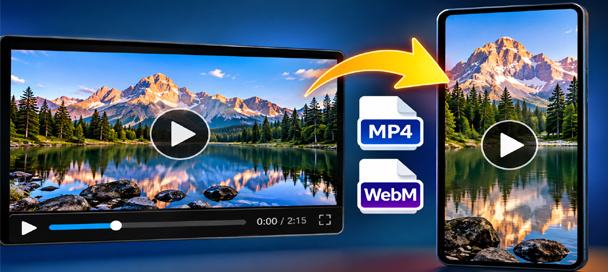
Free Video Converter and Crop Editor: 7 Powerful Ways to Edit Videos
🎬 Free Video Converter and Crop Editor Turn Long Videos Into Exactly What You Need Have you ever received a video that was almost perfect for your project? Maybe it was too long, the wrong shape, or saved in a…
🧰 Behind the Tools
Mike’s Helpers started as a collection of practical utilities built to solve everyday problems. That idea hasn’t changed as the collection has grown.
The GPT Text Cleaner is a good example. What began as a way to remove hidden junk from AI-generated text became the Universal Text & HTML Cleaner, which can now handle AI text, HTML, Microsoft Word, Google Docs, webpages, and WordPress articles.
The same basic rule applies across Mike’s Helpers: keep the tool understandable, let it do one useful job, and don’t make a five-minute task take all afternoon.
🧠 Frequently Asked Questions
What is the GPT Text Cleaner?
The GPT Text Cleaner is the original version of the Universal Text & HTML Cleaner at Mike’s Helpers. It cleans hidden characters, unwanted HTML, strange formatting, and other junk from copied AI text and other content.
What can the Universal Text & HTML Cleaner clean?
It can clean AI output, copied webpages, Microsoft Word and Google Docs formatting, HTML, hidden Unicode, unnecessary attributes, tracking parameters, and messy WordPress content.
Does the GPT Text Cleaner work with ChatGPT, Claude, Gemini, Grok, and Copilot?
Yes. You can clean text copied from ChatGPT, Claude, Gemini, Grok, Copilot, and other AI writing tools.
Will the cleaner remove useful formatting and links?
You can choose the cleaning mode that fits the job. Clean HTML and WordPress Article modes can preserve useful formatting such as headings, paragraphs, links, lists, bold text, and italics while removing unnecessary code.
Are Mike’s Helpers tools free?
Yes. Every tool on Mike’s Helpers is free to use. The site is supported by advertising and optional tips.
Do I need an account to use Mike’s Helpers?
The tools are designed to avoid unnecessary signup requirements. You can open the site and use the tools without creating another account just to perform a basic task.
Do I need to install software or a browser extension?
No. Mike’s Helpers tools are designed to work directly through your web browser without requiring a separate software installation or browser extension.
Do Mike’s Helpers tools work locally in my browser?
Many of them do. Browser-based processing can keep your files and content on your own device instead of uploading them to a remote server for a simple job.
What kinds of free tools are available?
Mike’s Helpers includes tools for writing and content, images, video, audio, SEO, research, online selling, formatting, PDFs, QR codes, and other everyday online tasks.
Are the AI tools meant to replace ChatGPT or professional software?
No. They’re helpers for jobs such as creating a starting draft, describing an image, finding blog ideas, checking content, or getting past a blank page. You can review the result, make your own changes, and continue working.
This site is ad-supported and free to use. If one of the tools helped you today, feel free to leave a tip.