Need a clear meta description without spending time rewriting the same sentence over and over? The Meta Description Generator from Mike’s Helpers turns your existing page content into three ready-to-use description options.
Paste your article, product page, service page, or other content below. Add your focus keyphrase if you have one, choose your page type, and generate three different descriptions. Everything runs directly in your browser with no signup required.
🔍 Meta Description Generator
Paste page content and generate three different meta description styles. Long source sentences are rewritten or rejected instead of being chopped into unfinished phrases.
🎥 Watch this short video to see how the Meta Description Generator works in real time.

Mike says: “One click is all it takes!”
What Is a Meta Description Generator?
A Meta Description Generator helps turn the main information on a webpage into a short description that can be used in your SEO settings.
Instead of trying to squeeze an entire article into a few sentences, paste your existing content into the tool. It identifies useful page text and creates three different description options for you to review.
The tool is designed to ignore common page clutter such as headings, source lists, credits, captions, affiliate lines, and other utility text when possible.
How to Generate a Meta Description
Using the tool takes only a few steps.
- Paste your page or article content into the text box.
- Enter your focus keyphrase if you have one.
- Select the type of page you are working on.
- Choose your maximum character length.
- Click Generate 3 Descriptions.
- Review the three options and select the one you like best.
- Copy it into WordPress, Rank Math, or your preferred SEO plugin.
You can also edit the selected description before copying it.
Generate Three Different Meta Description Ideas
One description is not always enough.
Sometimes a factual description works best. Other times you may want something written more for the reader or a broader description of what the page contains.
The generator creates up to three approaches so you can compare them instead of being stuck with the first sentence it finds.
Use Your Focus Keyphrase
If you are optimizing a page around a specific search phrase, enter it in the Focus Keyphrase field.
The Meta Description Generator will try to include that exact phrase naturally in the generated description.
You can leave the field blank when you do not have a target keyphrase.
Create Meta Descriptions for Different Page Types
Not every webpage has the same purpose. A product page should not necessarily be described the same way as a historical article or free online tool.
The generator includes options for:
- Blog posts and articles
- Products
- Services and online tools
- Homepages
- Landing pages
- Custom pages
Choose the option that most closely matches the page you are working on.
Control Your Meta Description Length
Use the character slider to set the maximum length you want the generator to work with.
Each generated option displays its character count so you can immediately see how long it is.
The tool also checks whether the description has a complete ending. It is designed to avoid cutting a sentence in the middle of a thought simply to hit a character limit.
Filters Out Common Page Clutter
Copying an entire WordPress article can bring along material that does not belong in a meta description.
That might include credits, source lists, Amazon links, image captions, navigation text, or short headings.
The generator filters common types of page clutter before selecting useful content. This helps keep unrelated page elements from becoming the main description.
No automatic filter will understand every webpage perfectly, so always read the finished description before using it.
Preview Your Description in a Search Result
The optional SERP preview lets you enter a page title and URL and see your selected description underneath them.
This is a simple visual preview to help you judge how the title, URL, and description work together.
It is not a guarantee of exactly how your page will appear in Google or another search engine.
Copy or Download Your Meta Description
When you find an option you like, click Use This One.
You can make any final changes in the Selected Meta Description box and then copy the finished text.
You can also download the description as a TXT file if you want to save it for later.
Meta Descriptions for WordPress and Rank Math
If you use WordPress with an SEO plugin such as Rank Math, you can paste the finished description directly into the page’s meta description field.
Adding your focus keyphrase before generating the description can also help you create an option that matches the phrase you are targeting on the page.
Always read the result before publishing. A useful meta description should accurately represent what someone will find after clicking the page.
Does This Tool Use AI?
No. The Meta Description Generator does not send your article to an AI service or external API.
It uses browser-based rules to examine the text you provide, filter common page clutter, identify useful content, and construct description choices.
That keeps the tool fast and avoids pretending that a simple browser utility is doing something it isn’t.
Private and Browser-Based
Your pasted content is processed directly in your browser.
There is no account to create and the tool does not need to upload your article to Mike’s Helpers for processing.
That makes it useful when you simply want to paste content, create a description, copy the result, and get back to work.
Can Google Change My Meta Description?
Yes.
A meta description is a suggestion, not a command to a search engine. Google and other search engines may display the description you provide, or they may generate a different snippet based on the search and the content of your page.
The goal of this tool is to help you write a useful description for your page. It cannot guarantee what a search engine will ultimately display.
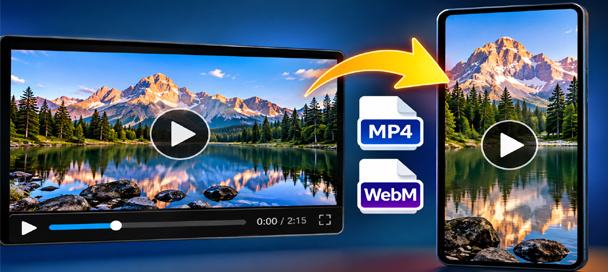
Free Video Converter and Crop Editor: 7 Powerful Ways to Edit Videos
🎬 Free Video Converter and Crop Editor Turn Long Videos Into Exactly What You Need Have you ever received a video that was almost perfect for your project? Maybe it was too long, the wrong shape, or saved in a…
Behind the Meta Description Generator
Mike’s Helpers is built around small tools that solve everyday problems without turning a simple job into a complicated service.
The Meta Description Generator was created for the same reason. Paste the content you already wrote, get several useful description ideas, choose one, and move on.
No fake SEO score. No account. No unnecessary steps.
Frequently Asked Questions
Is the Meta Description Generator free?
Yes. You can use the Meta Description Generator for free without creating an account.
How many descriptions does it generate?
The tool is designed to create three different meta description options from usable page content.
Do I need to enter a focus keyphrase?
No. The focus keyphrase is optional. If you provide one, the generator will try to work it naturally into the description.
What content can I paste into the generator?
You can use articles, blog posts, product information, service pages, tool pages, landing-page copy, and other written webpage content.
Does the tool check my Google ranking?
No. It does not connect to Google or measure your rankings. The checks shown by the tool are practical writing checks, not a made-up SEO ranking score.
Will Google use the meta description I create?
Not necessarily. Search engines can choose to display a different snippet when they believe another part of the page better answers a particular search.
Can I edit the generated description?
Yes. Select an option and edit it in the Selected Meta Description box before copying or downloading it.
Is my article uploaded to a server?
The description generation itself runs in your browser. The tool does not need an external AI API to process the text you paste into it.
Can I use this with WordPress?
Yes. Copy the finished description and paste it into the meta description field provided by Rank Math or another WordPress SEO plugin.
Need Help?
Found a problem or have an idea for another useful tool? Visit the Mike’s Helpers support page.







