Samsung T7 Shield Review: Powerful Portable Storage for Website and Video Files
My Rating: ⭐ ⭐ ⭐ ⭐ ☆ 4.7 / 5
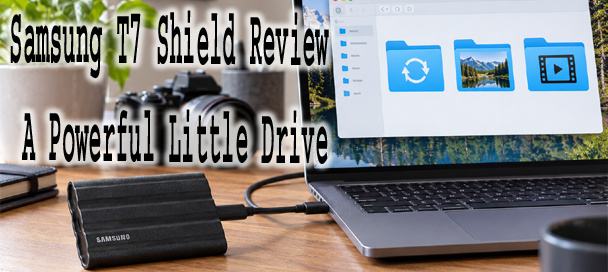
This Samsung T7 Shield review looks at a small, rugged external drive that has become a popular choice for moving large files regularly. That includes both work and personal projects. Between website backups, photo libraries, and video projects, storage needs pile up fast. A slow or fragile drive makes that work harder than it needs to be. I wanted to see whether the T7 Shield actually holds up to daily use, not just to a spec sheet. This Samsung T7 Shield review covers speed, durability, security, and exactly who gets real value from owning one.
What Is the Samsung T7 Shield?
The Samsung T7 Shield is a portable solid state drive. It is built for people who carry storage around rather than leaving it plugged into a desk. Unlike a traditional external hard drive, it has no spinning parts inside. That makes it faster and far less likely to fail from a bump or a drop. Samsung designed it as the rugged sibling to the standard T7 line. It targets photographers, video editors, and anyone else who needs dependable storage outside a controlled office.
The drive connects through a single USB-C port and requires no separate external power source, since it draws power directly from the connected computer. This keeps the whole setup simple. One cable handles both data transfer and power, with nothing else to carry or lose along the way. There is no separate power brick to pack, and no wall outlet needed to get the drive working anywhere a laptop can go.
Samsung T7 Shield Sizes and Connections
The T7 Shield ships in three storage sizes: 1TB, 2TB, and 4TB. That gives buyers a real range depending on how much data they need to carry at once. The 4TB version currently comes only in black, while the smaller capacities are also available in beige and blue. Every version connects through the same USB 3.2 Gen 2 Type-C port, capable of a 10 Gbps interface speed.
Compatibility spans both Windows and Mac computers without requiring special drivers for basic file transfer use, right out of the box. The drive also works with Android devices running version 5.0 or later. Some newer iPhone models capable of recording in Apple’s ProRes video format have also been confirmed to work directly with the T7 Shield. Videographers can record demanding, high bitrate footage straight to the drive without dropping frames. Buyers connecting the drive to an older computer without a USB-C port will need the included USB-C to USB-A cable. It ships in the box alongside a USB-C to USB-C cable for newer machines.
How Fast Is the Samsung T7 Shield?
Samsung rates the T7 Shield at up to 1,050 MB/s for read speed and up to 1,000 MB/s for write speed. That data moves through the USB 3.2 Gen 2 interface combined with PCIe NVMe technology inside the drive itself. It is the same underlying design used in many internal computer drives, packaged into a portable enclosure.
Samsung markets these speeds as roughly twice as fast as the previous T5 generation. The company also claims speeds up to 9.5 times faster than a typical external hard disk drive. Those comparisons hold up reasonably well in real world testing, especially against older mechanical drives that many people still have sitting in a drawer somewhere. In practical terms, that means a five gigabyte folder of video files can move in well under fifteen seconds under ideal conditions. The same task would take several times longer on a traditional external hard drive.
Reaching those rated numbers depends heavily on the computer doing the connecting. This point trips up more first time buyers than almost any other detail about the drive. A modern laptop with a proper USB 3.2 Gen 2 port will get close to Samsung’s advertised speeds. An older computer with only USB 3.0 or USB 2.0 ports will still work perfectly well. Transfers will run noticeably slower, since the connection itself becomes the bottleneck rather than the drive.
Rugged Case and IP65 Protection
One of the biggest differences between the T7 Shield and Samsung’s standard T7 model is the rugged rubber exterior wrapped entirely around the case. This coating protects the internal components from drops, and Samsung rates the drive to survive falls from up to three meters, or roughly 9.8 feet. That is a full meter better than the drop rating on the standard, non shielded T7 model. It is a meaningful upgrade for anyone working outdoors or on a busy job site.
The drive also carries an IP65 rating, meaning it resists both dust and water splashes under standard testing conditions. The first digit, 6, refers to full protection against dust intrusion. The second digit, 5, means it can withstand low pressure water jets from any direction without harm. This does not make it safe for full submersion. It does mean a spilled drink, a rainy job site, or a dusty workspace should not put stored data at serious risk. The rubber exterior also includes what Samsung calls Dynamic Thermal Guard, a design meant to manage heat buildup during long, heavy file transfers.
Using It for Website Backups
For anyone running a WordPress site or managing website files regularly, the T7 Shield offers a useful local backup option. Keeping a physical copy of website files and a database export adds one more layer of protection. It sits separate from whatever cloud storage a backup plugin already handles.
The drive’s speed matters here too. A full website backup, including a large media library, moves quickly enough on this drive. Running a manual backup before a major site change feels practical rather than annoying. Plugging the drive in, copying the latest zipped files and SQL export, then safely ejecting it takes just a couple of minutes. Most small to medium sized websites fit easily within that window.
How to Back Up a Website Before A Huge Disaster Strikes 9 Steps
Using It for Photos and Video
Photographers and video editors represent the other major audience for a drive like this. Modern camera files, especially 4K and 8K video, eat through storage space fast. A compact SSD that can also edit directly from the drive without noticeable lag becomes a real workflow advantage, not just extra storage.
The T7 Shield’s read and write speeds are fast enough to support editing video files directly off the drive in many cases. There is no need to always copy everything onto an internal drive first.
Photo libraries create a different kind of storage pressure than video. The individual files are smaller, but the total collection can grow into the tens of thousands over the years. A wedding or event photographer shooting in raw format alone can easily fill several hundred gigabytes in a single busy weekend. Having fast, portable storage on hand to offload memory cards between shoots keeps a photographer from running out of space mid job. That is a stressful situation to be in. This matters most for anyone working on location. Carrying a laptop and one small rugged drive is far more practical than hauling around a full editing workstation.
Every single T7 Shield comes backed by a three year manufacturer warranty. This matches most competing drives in this category and offers reasonable peace of mind for a device meant to travel.
Security and Encryption
Security is one area where the T7 Shield stands out compared to many budget external drives. It includes 256-bit AES hardware encryption. The encryption happens on a dedicated chip inside the drive, rather than relying on software running on the connected computer.
Setting up password protection requires installing Samsung’s companion software, sometimes labeled Samsung Portable SSD Software or Samsung Magician, depending on the version. This software is a free download from Samsung’s own site. It works on both Windows and Mac computers, walking a user through setting a password in just a few steps. Once a password is set, the drive’s contents stay locked and unreadable to anyone without that password. This holds true even if the physical drive is lost or stolen. For anyone carrying sensitive client files, business records, or personal backups, this feature alone justifies choosing the Shield over a plain, unencrypted flash drive.
What Comes With the Drive?
Every T7 Shield ships standard with a USB Type-C to Type-C cable and a USB Type-C to Type-A cable. Together they cover both modern and older computer ports right out of the box. A quick start guide is also included. The drive itself requires essentially no real setup beyond simply plugging it in for basic file transfer use.
Buyers should always check the exact current package listing before placing an order. Retailers occasionally bundle drives differently, and Samsung has adjusted packaging slightly across different production runs and regions. Confirming cable types and any included software access ahead of time avoids any unwelcome surprises after the box actually arrives.
What I Like About the Samsung T7 Shield
Speed stands out as the single clearest strength of this drive over nearly every competitor I have tested. Real world transfers feel fast, not just fast on paper. That difference shows up constantly during actual daily use, not only in a synthetic benchmark test.
Long term reliability matters just as much as raw speed for anyone trusting a drive with irreplaceable files. Solid state drives generally handle drops and physical shock far better than mechanical hard drives. There are simply no spinning platters or moving read heads to damage. This alone makes the T7 Shield a meaningfully safer long term storage choice than an equivalent external hard drive. That is even before factoring in the rubber casing and IP65 rating layered on top.
The compact size deserves real credit too. At roughly 88 by 59 by 13 millimeters and about 98 grams, the T7 Shield is smaller and lighter than many phone cases. It still holds up to 4TB of fast storage inside that tiny footprint. Tossing it into a bag without a second thought is easy, unlike carefully packing a bulkier external hard drive. That difference changes how often I actually bring it along.
Cross platform flexibility also stood out during testing. Moving the drive between a Windows desktop and a Mac laptop required no reformatting, no driver installation, and no troubleshooting of any kind. Not every external drive manages that this smoothly.
Solid build quality rounds out this entire list of strengths. The rubber exterior feels durable rather than merely decorative. The IP65 rating combined with drop resistance gives real peace of mind for anyone who has damaged storage devices through bad luck before.
What I Don’t Like
Price is the most obvious drawback of this drive compared to plainer, slower alternatives on the market today. The T7 Shield costs noticeably more than a basic external hard drive of the same capacity. Buyers who only need slow, occasional backup storage may find that premium hard to justify.
The rubber exterior, while durable, also attracts dust and fingerprints more readily than a smooth plastic or metal casing would. It needs an occasional wipe down to stay looking clean, a minor quirk rather than a functional problem, but worth knowing before purchase. The rubber coating is also permanently bonded to the case rather than removable. There is no way to swap it out or clean underneath it if debris works into the seams.
Maximum speed also depends entirely on having the right connection available. Anyone plugging the drive into an older USB 3.0 or USB 2.0 port will not see Samsung’s advertised numbers. The connection itself limits throughput, regardless of how fast the drive can actually run.
Who Should Buy the Samsung T7 Shield?
Website owners managing their own backups get real, practical value from this drive. So do photographers handling large image libraries and video editors moving footage between locations. Anyone who regularly needs to transfer large files between computers, or who wants a rugged option for fieldwork, fits this profile well too.
Small business owners keeping local copies of important records also benefit from the combination of speed, portability, and hardware level encryption. This matters most for anyone traveling with sensitive client data.
Gamers make up another group worth mentioning here, even though this particular review focuses mainly on website work and creative projects. Modern game libraries routinely run past 100 gigabytes per title. A fast external SSD offers a practical way to store extra games without opening up a computer or console.
Who Probably Does Not Need It?
Someone who only occasionally backs up a handful of documents likely does not need this much ruggedness or speed. This holds especially true for anyone who never leaves a climate controlled office. A basic external hard drive, or even a simple USB flash drive, handles occasional, low volume backup needs just fine. Both cost noticeably less.
Anyone on a tight budget who mainly stores small files like documents and spreadsheets will not see much practical benefit here. The T7 Shield’s extra speed and durability suit large video or website archives far better. A cloud storage subscription may also cover casual backup needs perfectly well. Someone who rarely works offline may not need a physical drive at all.
Samsung T7 Shield Review: Final Verdict
The Samsung T7 Shield earns a strong recommendation for anyone who regularly moves large files. That includes backing up website data locally or working with photo and video content on the go. Final rating, 4.7 out of 5. The combination of speed, real world durability, and hardware level security makes it stand out from cheaper, more fragile alternatives. Its compact size means there is rarely a good excuse left not to carry it along anywhere.







